
How to Join Friends in Hytale (Online Play Guide)
How to Join Friends in Hytale (Online Play Guide)
Want to play Hytale with friends without setting up a dedicated server? Hytale’s built-in Online Play feature makes Hytale multiplayer easy—share your singleplayer world with friends in just a few clicks.
What is Hytale Online Play?
Section titled “What is Hytale Online Play?”Online Play lets you invite friends to Hytale by generating a share code from your singleplayer world. Your friends can join using this code without needing a dedicated server or any port forwarding.
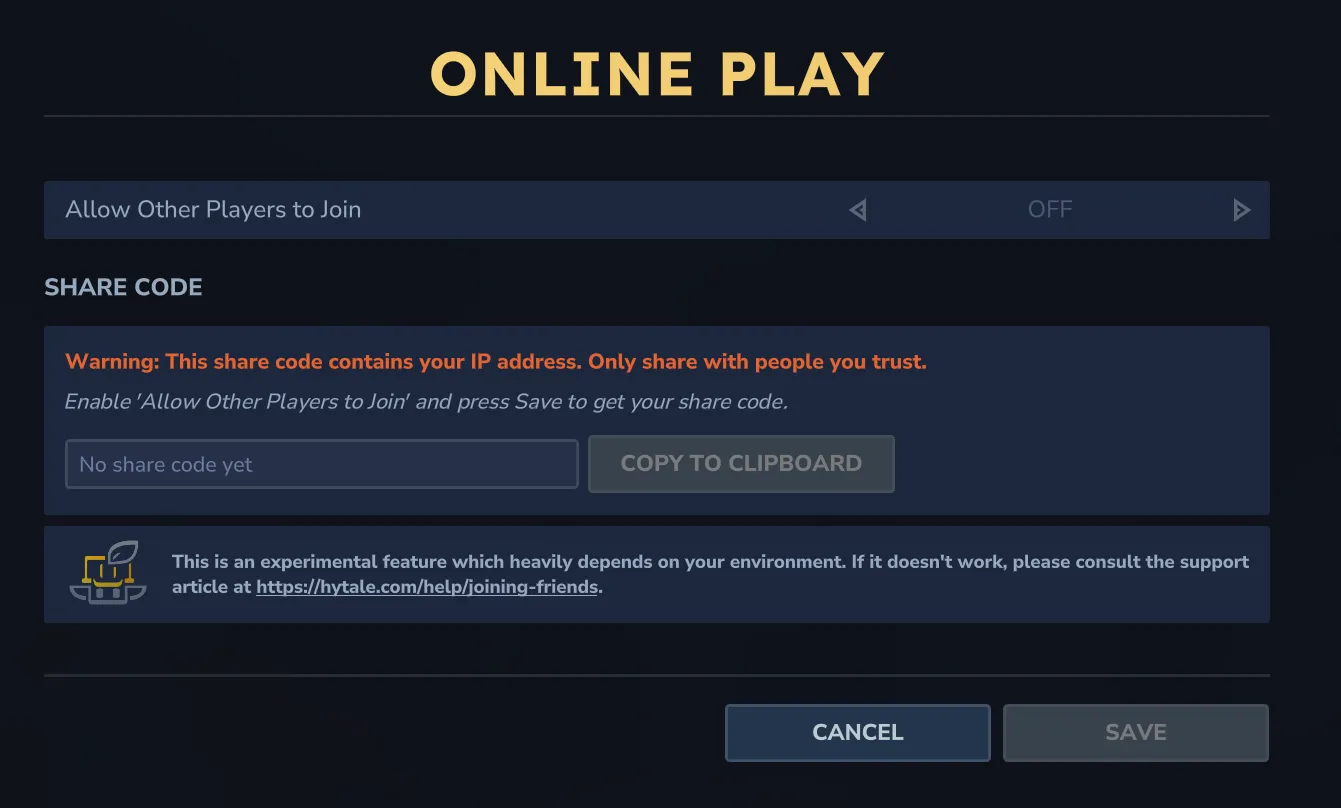
How to Host Your World for Friends
Section titled “How to Host Your World for Friends”Follow these steps to let friends join your Hytale world:
- Load into your singleplayer world
- Press ESC → Online Play
- Toggle Allow Other Players to Join to ON
- (Optional) Set a Password to restrict access
- Click Save to generate a share code
- Send the share code to friends
How to Join a Friend’s Hytale World
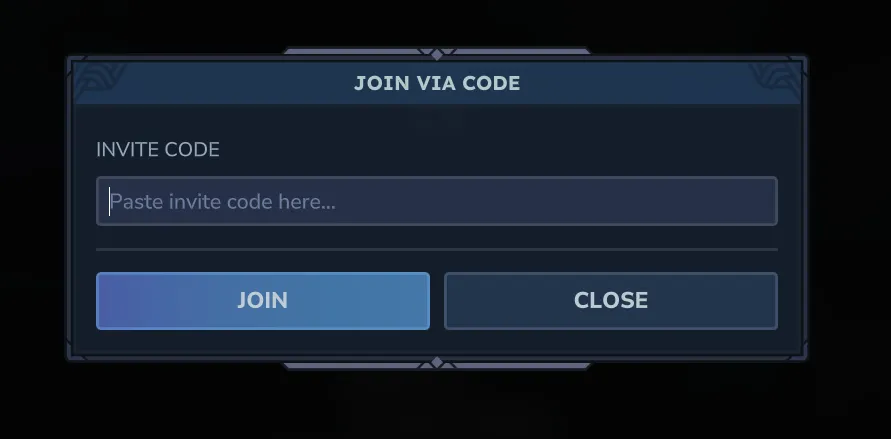
Section titled “How to Join a Friend’s Hytale World”Ready to join friends in Hytale? Here’s how:
- From main menu, go to Servers
- Click Join via Code
- Paste the share code your friend sent you
- Enter password if required
- Click Connect
Connection Issues?
Section titled “Connection Issues?”If you’re having trouble connecting, check our Connection Troubleshooting guide for common fixes including:
- Slow connections or world not loading
- Network adapter driver issues
- Firewall and router configuration
For persistent worlds or if connection issues continue, consider a hosting provider.
Frequently Asked Questions
Section titled “Frequently Asked Questions”How do I join a friend’s Hytale server?
Section titled “How do I join a friend’s Hytale server?”Go to Servers → Join via Code → paste the share code → Connect. Enter a password if your friend set one.
Is Hytale Online Play free?
Section titled “Is Hytale Online Play free?”Yes, the Online Play feature is built into Hytale at no additional cost.
Why can’t I connect to my friend’s Hytale world?
Section titled “Why can’t I connect to my friend’s Hytale world?”Common causes include firewall blocks, router NAT issues, or driver problems. Try having your friend host instead, or check our Connection Troubleshooting guide.
How many friends can join my Hytale world?
Section titled “How many friends can join my Hytale world?”The exact limit depends on your computer’s resources. For larger groups, consider a dedicated hosting provider.